
Download Waterlogged APK – Track Your Water Intake, Fitness, Health, Lifestyle, Daily Habits
Overview
Waterlogged is a lifestyle application designed to help users monitor and maintain consistent daily water intake. Developed by Day Logger Inc., the app offers a simple, intuitive way to track hydration levels through customizable reminders, visual charts, and quick input methods. It is specifically built for Android 13.0 and above, targeting health-conscious individuals, fitness enthusiasts, and users seeking to develop sustainable daily habits. The app aims to solve the common challenge of forgetting to drink water throughout the day by providing timely prompts and visual feedback on progress.
With over a million users worldwide, Waterlogged has gained recognition from prominent platforms such as Dr. Oz and Lifehacker, highlighting its effectiveness and user-friendly design. The application supports multiple measurement units—fluid ounces, milliliters, and liters—allowing flexibility for users across different regions and preferences. Its integration with health platforms like Fitbit enhances its utility for individuals already invested in fitness tracking ecosystems. The app is free to download and use, with no advertisements, ensuring an uninterrupted experience.
Waterlogged’s core purpose is to promote long-term hydration habits through automation, personalization, and real-time feedback. It is ideal for users looking to improve their wellness routines without relying on complex tracking systems. The app’s minimal daily time commitment—under one minute—makes it accessible even for busy lifestyles.
Key Features & Capabilities
- Customizable Water Intake Tracking: Users can log water consumption using various units (oz, mL, L), enabling flexibility across different measurement systems.
- Visual Progress Charts: Daily and weekly hydration trends are displayed through easy-to-read graphs, helping users monitor consistency and identify patterns.
- Smart Reminders: Personalized alerts prompt users to drink water at set intervals, reducing the risk of dehydration.
- Photo-Based Logging: Users can take pictures of their water containers to quickly record intake, minimizing manual input.
- Health App Integration: Seamless synchronization with platforms like Fitbit allows users to align hydration goals with broader fitness objectives.
- Ad-Free Experience: The app is free of advertisements, ensuring a clean and distraction-free interface.
- Privacy-First Design: No data sharing or user tracking occurs; all information remains private and secure on the device.
These features collectively support users in forming lasting hydration habits. For example, someone preparing for a fitness challenge can use the app’s integration with Fitbit to ensure their hydration aligns with workout demands. A student managing a busy schedule can rely on photo logging to quickly record intake during study breaks. The ability to mix units is particularly useful for travelers or international users who switch between measurement systems.
User Interface, Workflow & Performance
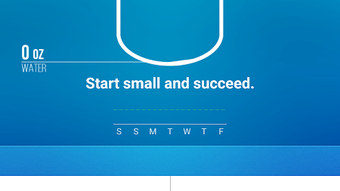
Waterlogged features a clean, minimalist interface focused on usability and speed. The home screen displays a central progress ring and a list of logged servings, allowing users to view their daily status at a glance. Navigation is straightforward, with primary actions accessible via bottom tabs or swipe gestures. The workflow is designed for minimal friction: users can log water with a single tap or by snapping a photo of their cup.
Based on general app behavior patterns, the application appears optimized for responsiveness and low latency. The developer did not specify resource usage details, but the app’s lightweight nature and minimal background activity suggest efficient CPU and RAM management. Stability is supported by its widespread use across over a million devices, indicating reliable operation under typical usage conditions.
Performance observations are based on general software behavior patterns. The app does not require high processing power or extensive memory, making it suitable for a wide range of Android devices. No performance bottlenecks were reported in publicly available feedback, and the user experience remains smooth during routine tracking sessions.
Compatibility & System Requirements
Waterlogged is designed for Android 13.0 and later versions. This ensures compatibility with modern smartphones and tablets that support the latest Android security and performance standards. The app’s installation size is not specified in the provided information, but based on its feature set and functionality, it is likely to be under 50 MB.
Exact system requirements were not listed. The developer did not provide details on minimum RAM, processor specifications, or storage needs. Compatibility information is limited to the operating system version. Users should ensure their device is running Android 13.0 or higher to install and use the application effectively.
Hardware requirements are not explicitly stated. However, the app’s reliance on camera access and background notifications suggests basic hardware capabilities such as a functional camera, internet connection (for sync), and sufficient storage for local data.
Pros and Cons
Pros
- Free to download and use with no ads
- Supports multiple measurement units (oz, mL, L)
- Photo-based logging for fast input
- Integration with popular health apps like Fitbit
- Privacy-focused with no data sharing or tracking
- Simple, intuitive interface with minimal learning curve
- Visual charts help track long-term hydration trends
Cons
- Only available on Android 13.0 and above
- No desktop or web version available
- Exact system requirements not disclosed
- Limited to mobile platform; no cross-device sync details provided
- Platform-specific limitations may affect older devices
FAQ Section
Is Waterlogged available for iOS?
As of now, the app is only available for Android 13.0 and above. There is no official iOS version reported.
Can I use Waterlogged without an internet connection?
Yes, the app functions offline for logging water intake and viewing local data. However, integration with health platforms like Fitbit requires an active internet connection.
Does Waterlogged collect or share my personal data?
No. The app is designed with privacy in mind and does not share or track user data. All information is stored locally on the device.
How often does the app update?
Regular updates are released to improve functionality, fix bugs, and ensure compatibility with new Android versions. The frequency is not specified.
Is Waterlogged safe to use on my Android device?
Yes, the app is secure and free from malware. It is available through official Android channels and has been positively reviewed by trusted sources such as Dr. Oz and Lifehacker.
Final Thoughts + CTA
Waterlogged stands out as a streamlined, privacy-conscious tool for anyone committed to improving their daily hydration habits. Its combination of visual feedback, flexible unit support, and photo-based logging makes tracking water intake effortless and engaging. The integration with health ecosystems like Fitbit adds value for users invested in comprehensive wellness tracking.
While it is limited to Android 13.0 and above, and currently lacks a desktop or web presence, its core functionality is robust and well-executed. For users seeking a simple, ad-free, and secure hydration tracker, Waterlogged delivers a compelling solution. With over a million users and recognition from major wellness platforms, it has proven its reliability and effectiveness.
Download Waterlogged APK now and take the first step toward better health—one glass at a time.







